
RedTeamSimmer is an open-source, web based adversary emulation platform providing a modern UI for orchestrating Atomic Red Team tests across enterprise Windows environments. It was initially created for the 'Mastering Breach and Adversarial Attack Simulation' training at DEF CON Trainings. Traditional atomic test execution demands memorizing PowerShell syntax, manually managing prerequisites per endpoint, and collecting scattered results with no centralized visibility. RedTeamSimmer solves this with a Flask server, lightweight Golang agents, and a real-time web interface, enabling security teams to execute MITRE ATT&CK mapped techniques in a few clicks. Operators deploy agents to multiple endpoints, browse the full ATT&CK catalog, run tests with automatic prerequisite handling, and monitor live color-coded output from a single dashboard.
RedTeamSimmer bridges the gap between complex adversary emulation tooling and practical usability, giving you the power of Atomic Red Team with a clean, intuitive interface.
It also ships with adversary emulation plans modelled using Atomic Red Team for real threat actors including APT28, APT3, APT41, FIN7, Lazarus Group, and Wizard Spider for multi-stage attack simulations. Detection rule mappings for Sigma, Splunk, and Elastic Security help blue teams identify coverage gaps and validate alerting. A full operations history provides a complete audit trail for compliance. It is designed for red teamers, blue teamers, purple team exercises, EDR/AV testing, and training.
RedTeamSimmer is created and maintained by the BreachSimRange team. The original RedTeamSimmer was created by @abhijithbr.
RedTeamSimmer was first publicly presented at DEF CON Singapore Demo Labs 2026 to introduce the platform's adversary emulation architecture and live atomic test execution. It was subsequently featured at the Black Hat USA 2026 Arsenal in Las Vegas, and is selected for the Black Hat Europe 2026 Arsenal at Excel London (7–10 December 2026).
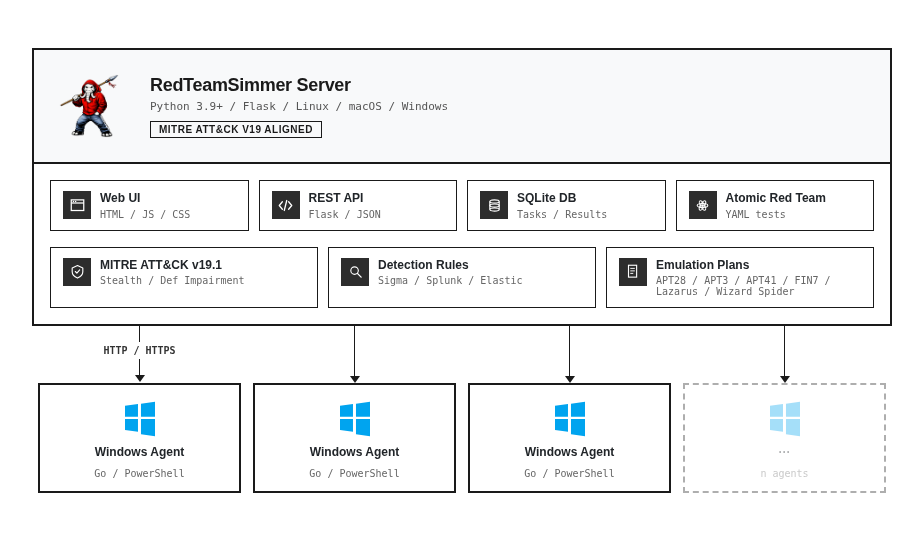
Under the hood, RedTeamSimmer pairs a Flask server with lightweight Golang agents and a real-time web interface. The server hosts the dashboard and API, parses the Atomic Red Team definitions, distributes tasks, correlates detection rules, and keeps the full operations history. Operators deploy agents to multiple Windows endpoints, and each agent registers with the server, polls for work, runs techniques locally, and streams color-coded output back to a single dashboard.
RedTeamSimmer organizes all atomic tests by MITRE ATT&CK tactics, making it easy to navigate and select techniques for execution.
Deploy lightweight agents on target systems and orchestrate test execution remotely from the central server.
Currently only Windows agents are fully supported. Linux and macOS agent support is planned for future releases.
Test output streams in real time as the agent executes, not after completion, so you can watch prerequisites run, the main command run, and cleanup trigger as it happens. Output types (stdout, stderr, and agent messages) can be toggled independently to cut noise. Each test phase is separated by distinct log banners, timed individually, and displays the exit code on completion.
Atomic tests often need tools or files in place before they execute. RedTeamSimmer parses the YAML test definition, runs the prereq_command to check whether dependencies are already satisfied, and if not, runs get_prereq_command to install them. A re-verification step confirms the prerequisites are in place before the main command runs. If you want to skip this, for example when you have already staged the target, the UI exposes a manual override to run the test directly.
RedTeamSimmer ships with pre-built emulation plans modelled on real-world APT tradecraft. Each plan chains together Atomic Red Team tests mapped to the techniques documented in the corresponding MITRE ATT&CK group profile, so you execute the actor's kill chain in sequence rather than running isolated techniques. Plans are JSON-defined, fully editable, and extensible. You can modify ordering, add or remove techniques, or build your own from scratch using the custom plan builder.
| Threat Actor | Origin | Focus |
|---|---|---|
| APT28 (Fancy Bear) | Russia, GRU Unit 26165 | Government espionage, election interference, credential harvesting |
| APT3 (Gothic Panda) | China, MSS | Aerospace, defence, and telecom targeting |
| APT41 (Wicked Panda) | China, dual-use | Hybrid espionage and financially motivated intrusions |
| FIN7 (Carbanak) | Financially motivated (eCrime) | POS malware, retail and hospitality breach patterns |
| Lazarus Group | North Korea, RGB | Financial theft, destructive attacks, cryptocurrency operations |
| Wizard Spider | Financially motivated (eCrime) | Ryuk/Conti ransomware kill chains, credential access, lateral movement |
Each plan includes the attack chain ordering, GetPrereqs flags for test dependencies, and MITRE technique IDs for ATT&CK Navigator layer export. Execution runs techniques sequentially across one or more agents with full output captured per step.
The dashboard gives you a single view of active agents with online and offline status, total emulations executed, technique coverage count, success and failure statistics, recent task history, and a failed operations list for quick triage.
Three charts display test execution stats and agent status: a doughnut chart for task status distribution, a bar chart for tactic coverage, and a pie chart for agent status breakdown.
The MITRE ATT&CK heatmap renders executed techniques against the ATT&CK matrix with color-coded status (completed, failed, running, pending), click-through to detailed output, and live updates as operations progress.
The details modal shows the full output for a single technique execution. The execution summary displays the technique ID, exit code, and duration, followed by a breakdown of test name, description, executor, and platform. Input arguments are displayed in both their raw form (with variable placeholders) and resolved form (with actual values), so you can see exactly what ran. The prerequisite, main command, and cleanup sections each display their own output streams with syntax highlighting. Cleanup commands are shown for reference but not auto-executed. External links point to MITRE ATT&CK, SigmaHQ, and the Atomic Red Team repository for further investigation.
Every executed technique is correlated against detection rules from three sources:
Rules are matched automatically against the technique ID, with a count summary per technique and expandable views for full query content. Direct links point to the upstream rule repositories. The rule database is local and offline, so no external API requests are made during execution, which is useful when running in restricted or air-gapped environments.
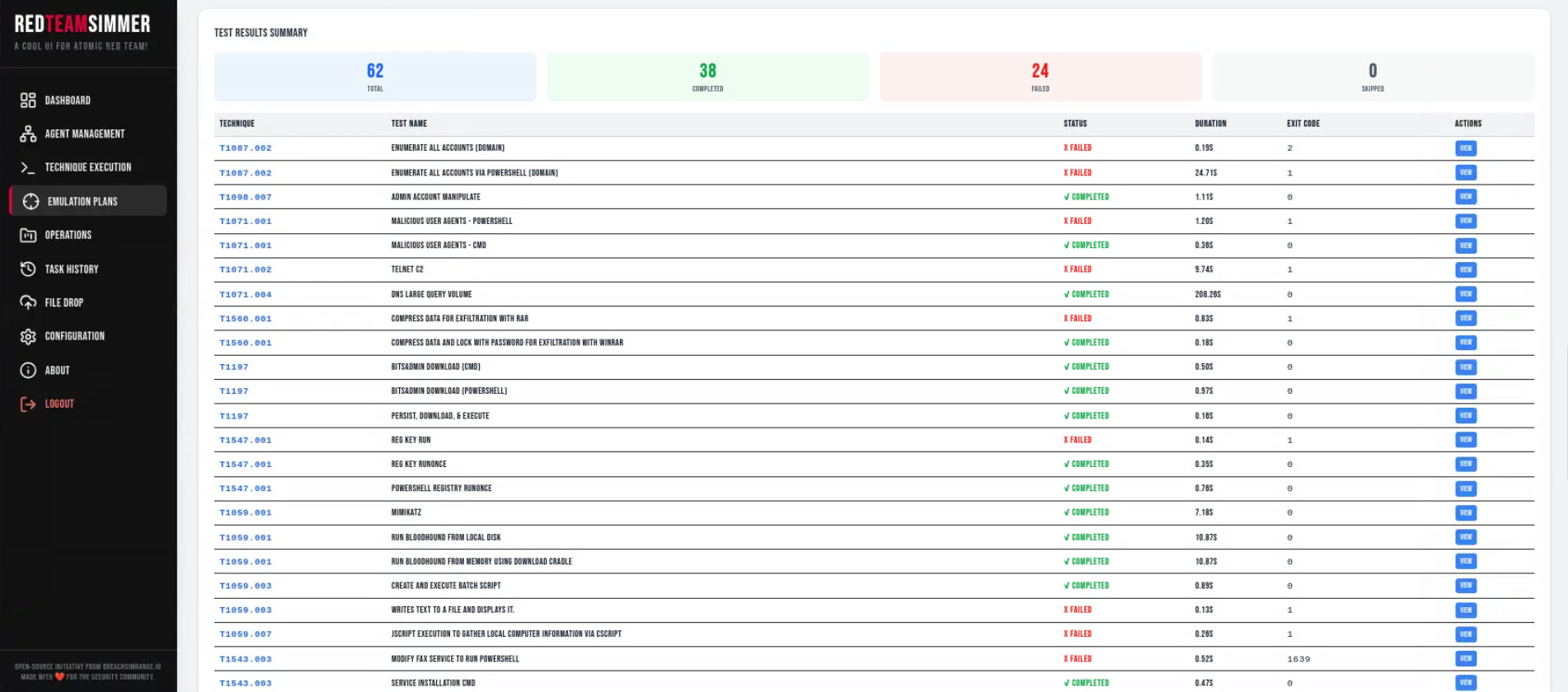
The operations view lists every operation with status, progress, and timestamps. Running operations can be paused, resumed, or stopped from the interface. Progress is shown as a percentage completion bar, and clicking into any operation opens the full execution timeline with a per-technique results table (status, duration, exit codes) and a filterable log view for debugging specific runs.
When an emulation requires specific technique folders on the target, the server bundles them into a ZIP archive and distributes them to the selected agents. Agents confirm successful extraction before execution begins, and the staged files are removed after the test completes or when the agent shuts down cleanly.
The agent list shows every registered agent with status indicators alongside hostname, username, OS, architecture, and last-seen time. AV detection results are displayed per agent so you can see exactly which security products are installed on the target. Agent configuration (startup persistence, jitter timing, metadata) can be modified from the UI without redeploying the binary. The remote shutdown action cleanly removes the agent along with its artifacts: registry entries, scheduled tasks, and dropped files.
The server can run on Windows, Linux, or macOS.
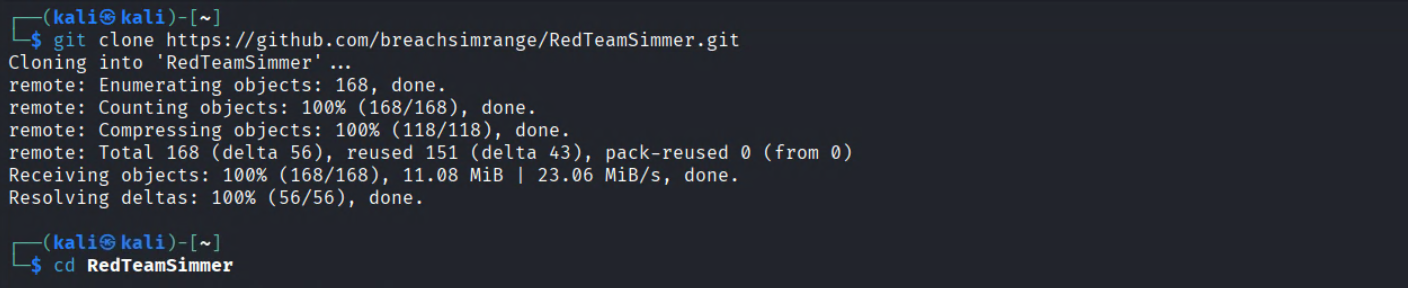
# Clone the repository
git clone https://github.com/breachsimrange/RedTeamSimmer.git
cd RedTeamSimmer
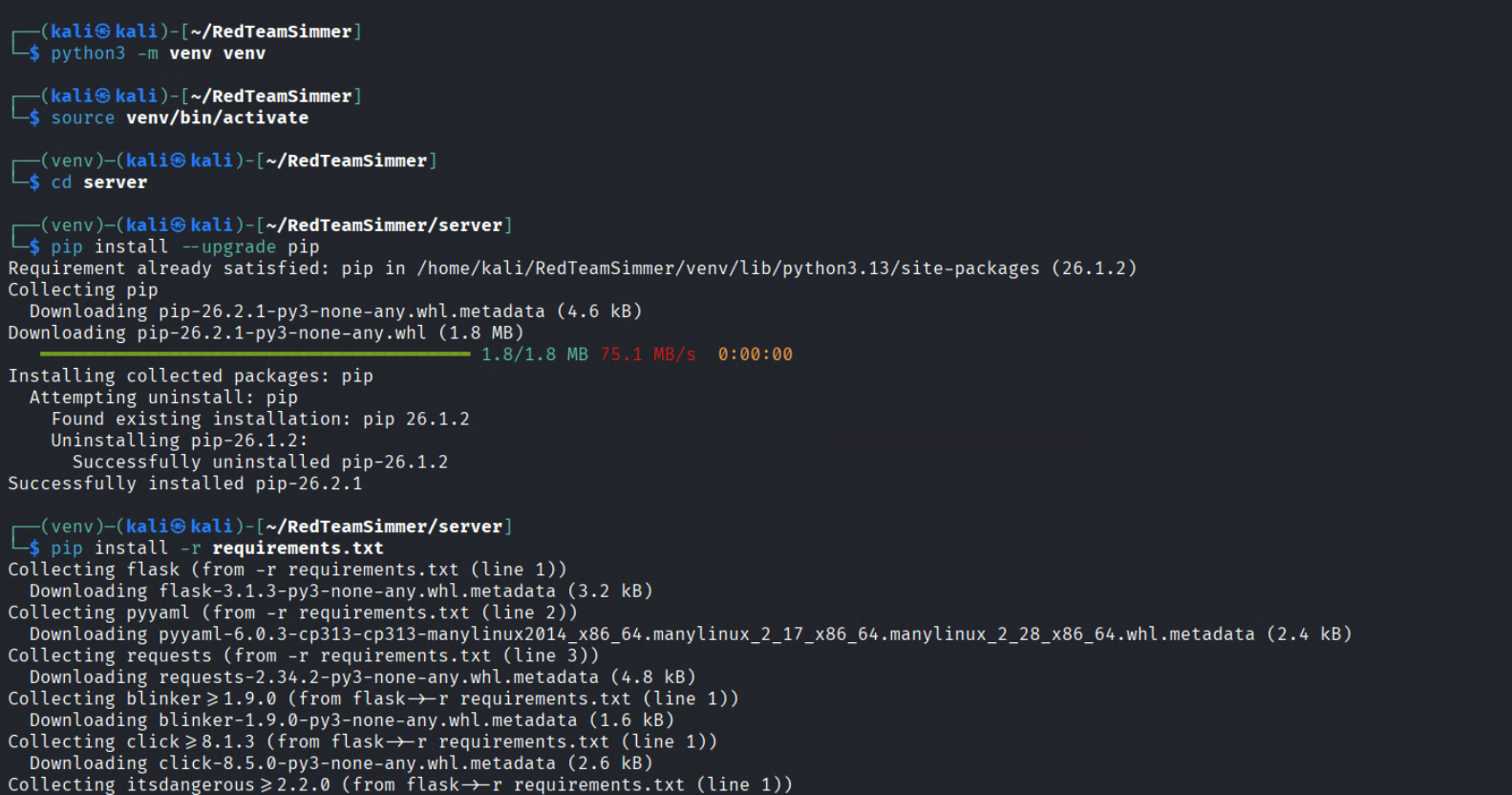
Always run RedTeamSimmer inside a Python virtual environment. This isolates dependencies from the system Python and avoids conflicts with other tools on the host.
# Create the virtual environment
python3 -m venv venv

# Activate (Linux / macOS)
source venv/bin/activate
When the venv is active your shell prompt will be prefixed with (venv). Run every subsequent server command - pip install, python app.py, etc. - inside the activated venv. To deactivate when finished:
deactivate
Tip: If you redeploy the server on another host, recreate the venv on that host rather than copying it - venvs contain absolute paths.
# With the venv activated:
cd server
pip install --upgrade pip
pip install -r requirements.txt

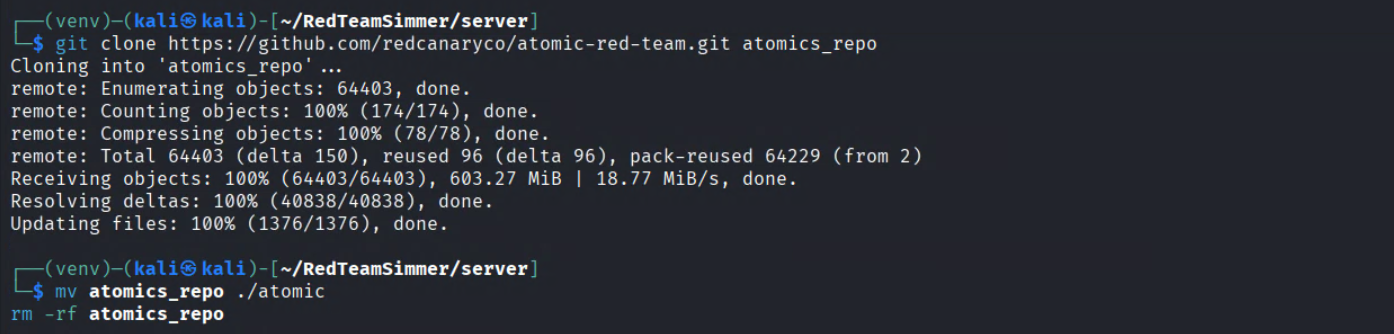
# Download Atomic Red Team atomics
git clone https://github.com/redcanaryco/atomic-red-team.git atomics_repo
mv atomics_repo ./atomic
rm -rf atomics_repo

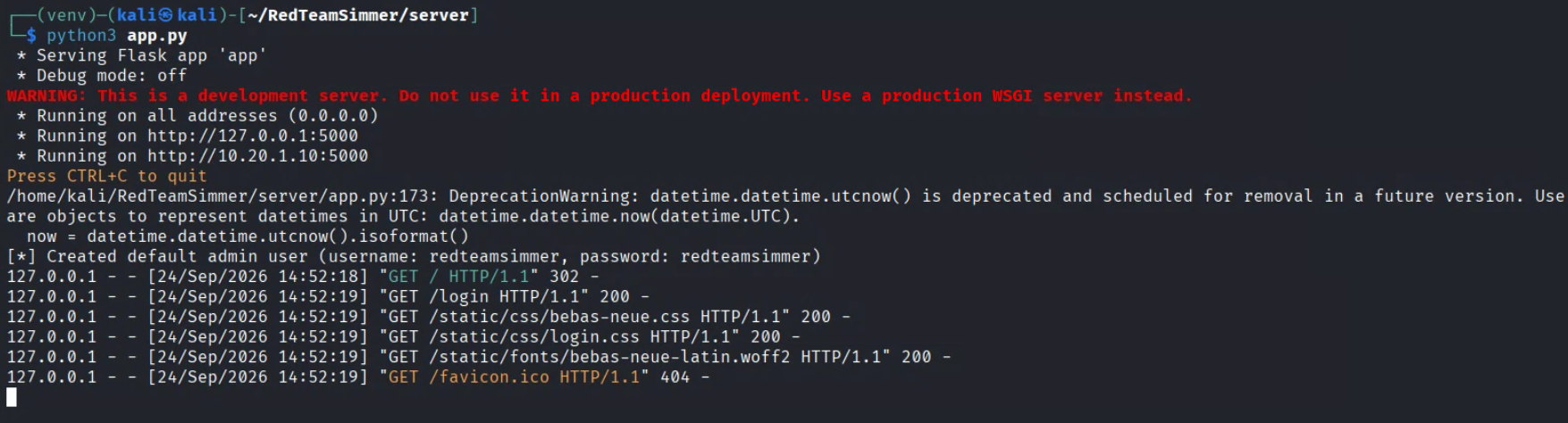
# Initialize the database and create default admin user
python3 app.py
Go is required to compile the Windows agent binary. The agent can be cross-compiled from any host with Go installed - you do not need Go on the target Windows machine, only on the system you build the binary on.
Linux (Ubuntu/Debian/RHEL):
# Check https://go.dev/dl/ for the latest stable version
GO_VERSION=1.22.5
wget https://go.dev/dl/go${GO_VERSION}.linux-amd64.tar.gz

# Remove any previous Go install and extract
sudo rm -rf /usr/local/go
sudo tar -C /usr/local -xzf go${GO_VERSION}.linux-amd64.tar.gz

# Add Go to PATH (persisted across shells)
echo 'export PATH=$PATH:/usr/local/go/bin' >> ~/.bashrc
source ~/.bashrc

# Verify
go version
# Expected: go version go1.22.5 linux/amd64
Windows:
PATH automatically.go version
Distro package managers: apt install golang-go and dnf install golang work but often ship outdated versions. Prefer the official tarball or installer for current toolchain features.
Important: Currently only Windows agents are fully functional. Linux and macOS agent support is under development.
# Navigate to agent directory
cd agent

# Edit agent.go and update the ServerURL
# Find this line and change the IP/hostname:
# ServerURL = "http://YOUR_SERVER_IP:5000"

# Build Windows agent (from any OS with Go installed)
GOOS=windows GOARCH=amd64 go build -o agent.exe agent.go

# Or on Windows directly:
go build -o agent.exe agent.go
Agent Configuration Options (in agent.go):
const (
    ServerURL              = "http://192.168.1.100:5000"  // Your server address
    AdminToken             = "ChangeThisAdminToken!"       // Must match server token
    PollInterval           = 7 * time.Second              // How often to check for tasks
    FiledropPoll           = 5 * time.Second              // How often to check for files
)
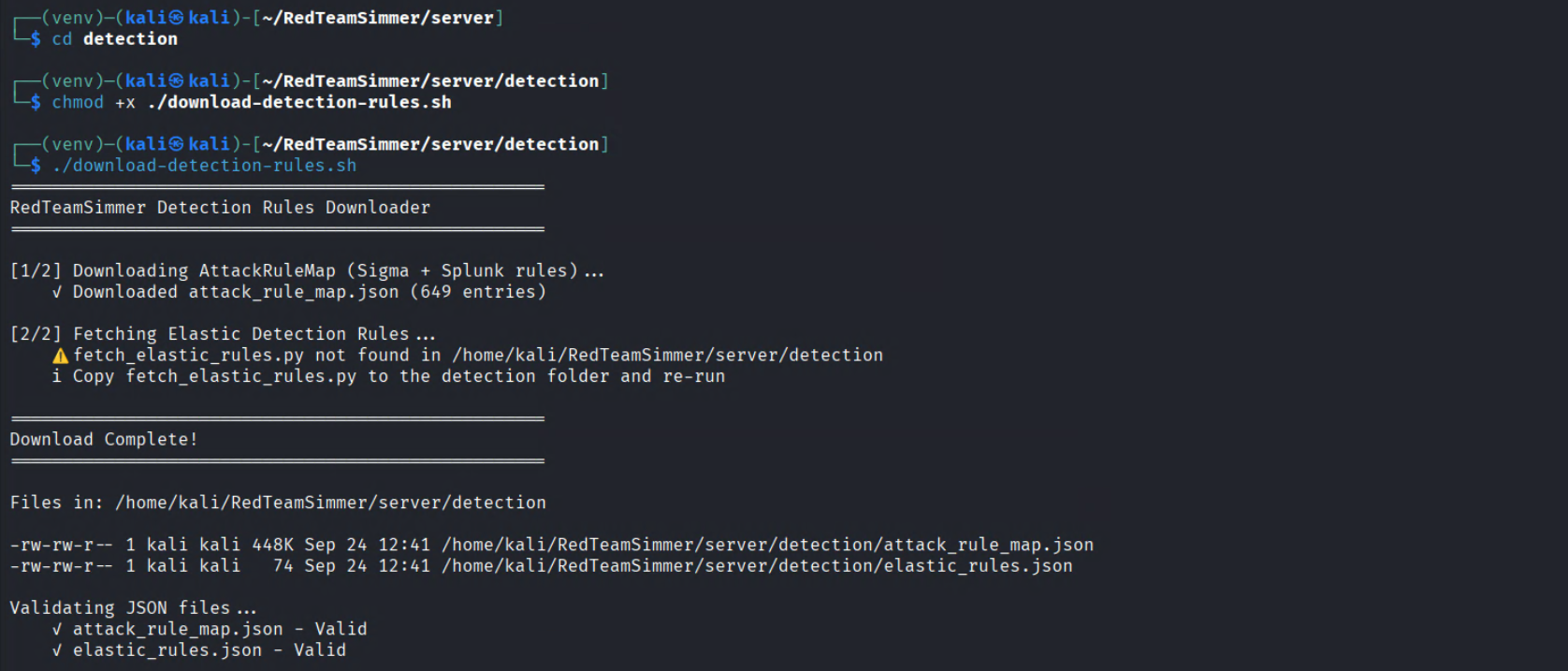
RedTeamSimmer integrates with external detection rule sources. Use the provided scripts to download and generate the rule mappings.
# Navigate to detection folder
cd detection

# Make script executable
chmod +x download-detection-rules.sh

# Run the downloader
./download-detection-rules.sh
This script will download AttackRuleMap (Sigma + Splunk rules mapped to Atomic tests) and fetch and parse Elastic Detection Rules using the Python script.
# Activate the venv first if not already
source venv/bin/activate

# Development mode
python app.py

# The server starts on http://localhost:5000
Navigate to http://localhost:5000 and login with the default credentials:
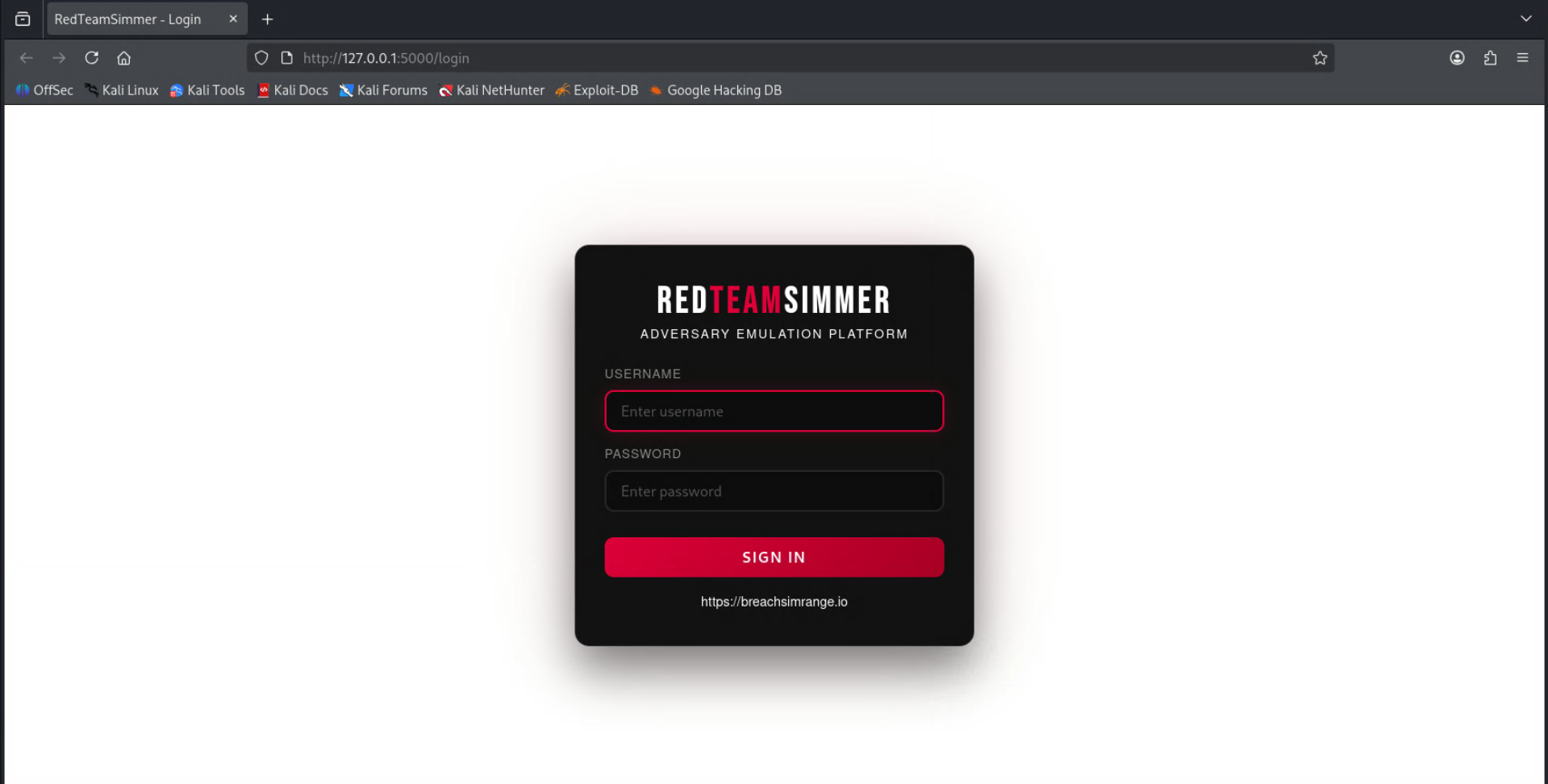
| Username | Password |
|---|---|
redteamsimmer | redteamsimmer |
Change the default password immediately after first login.
Copy the compiled agent.exe to your Windows target system and run:
# Run as Administrator for full capability
.\agent.exe
The agent will register with the server, download required PowerShell modules, and begin polling for tasks. Verify the agent appears in the Agents section of the web UI.
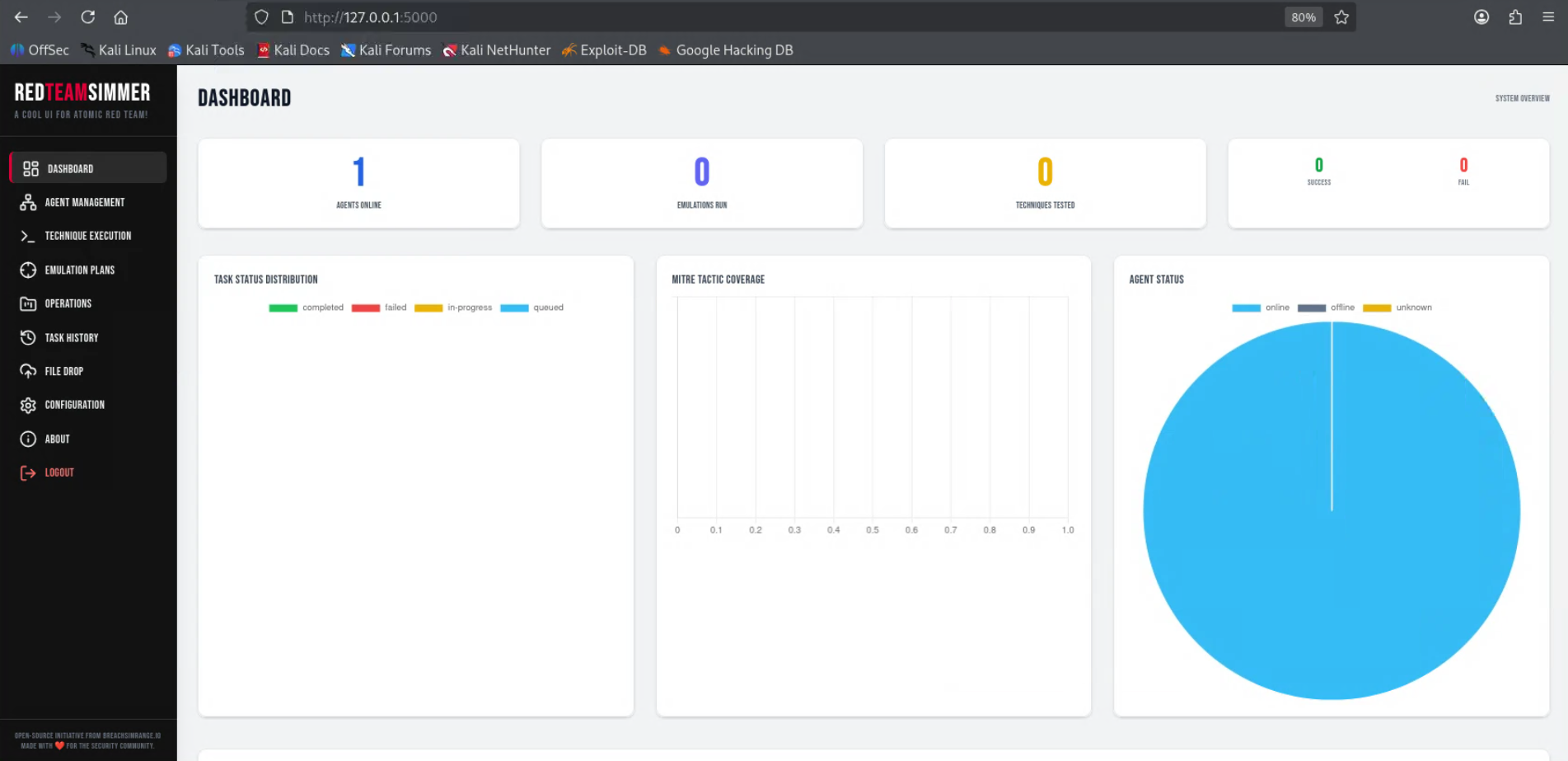
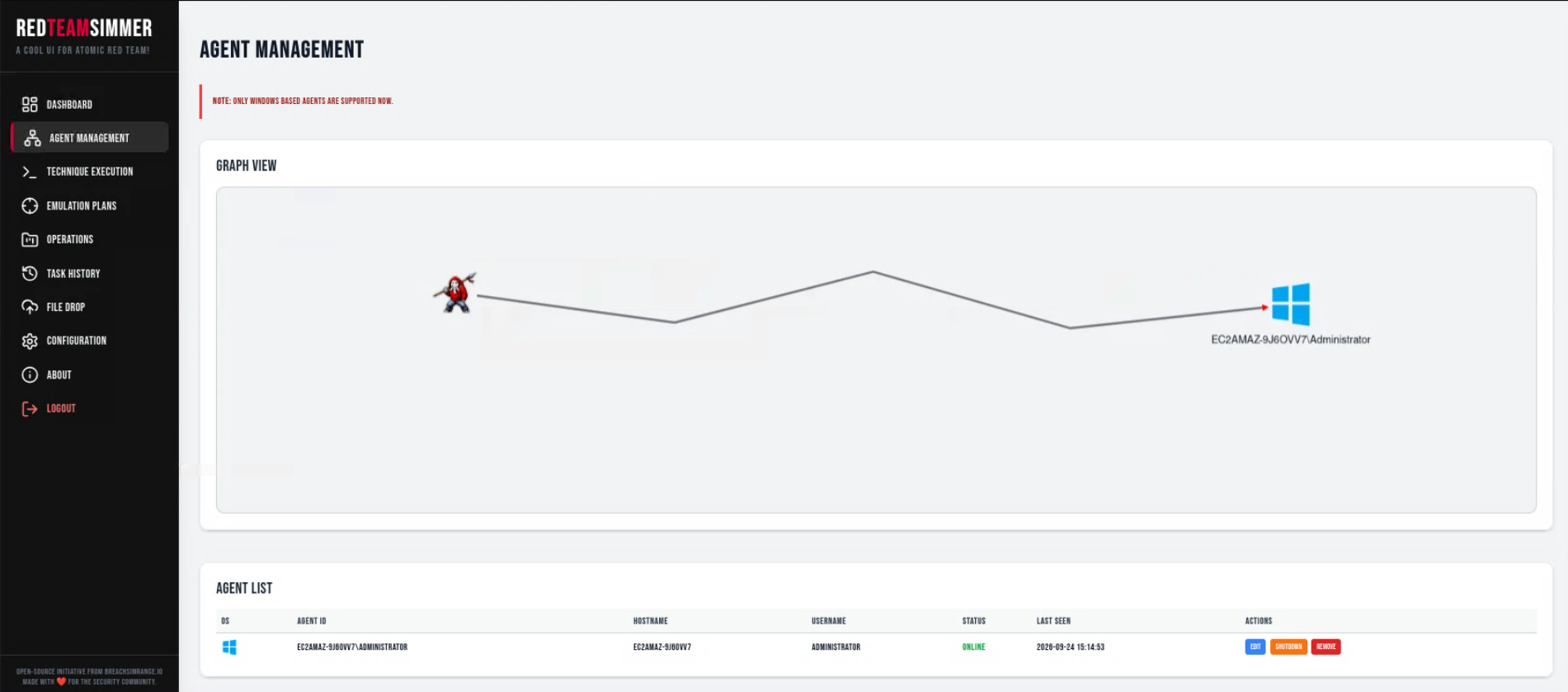
In this lab, you will learn how to execute an individual MITRE ATT&CK technique against a managed Windows target using RedTeamSimmer. You will select an atomic test, configure execution parameters, dispatch the test to the remote agent, observe real-time command output, and verify the test results.
In this exercise, we will execute T1566.001 - Phishing: Spearphishing Attachment (Atomic Test #1: Download Macro-Enabled Phishing Attachment). This test emulates an initial access scenario where PowerShell is invoked to download an external macro-enabled file (.xlsm / .docm) into the local user environment.
http://localhost:5000).>_ TECHNIQUE EXECUTION).TEST 1). Custom parameters can be provided if testing specific payloads or paths.TA0001).POWERSHELL executor).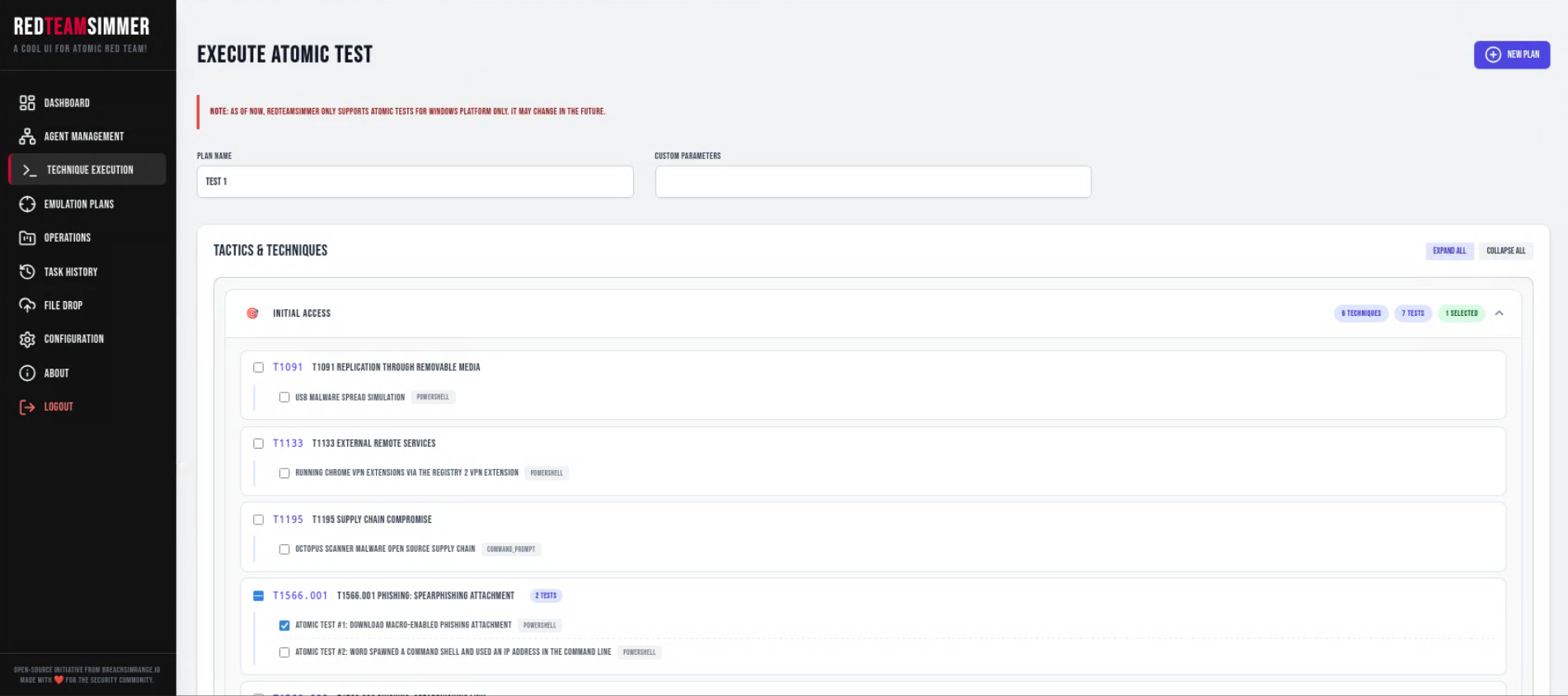
[x] GET PREREQUISITES FIRST). When enabled, the server instructs the agent to execute the technique's prereq_command before running the payload. If prerequisites are missing, the agent runs get_prereq_command to stage required files or dependencies automatically.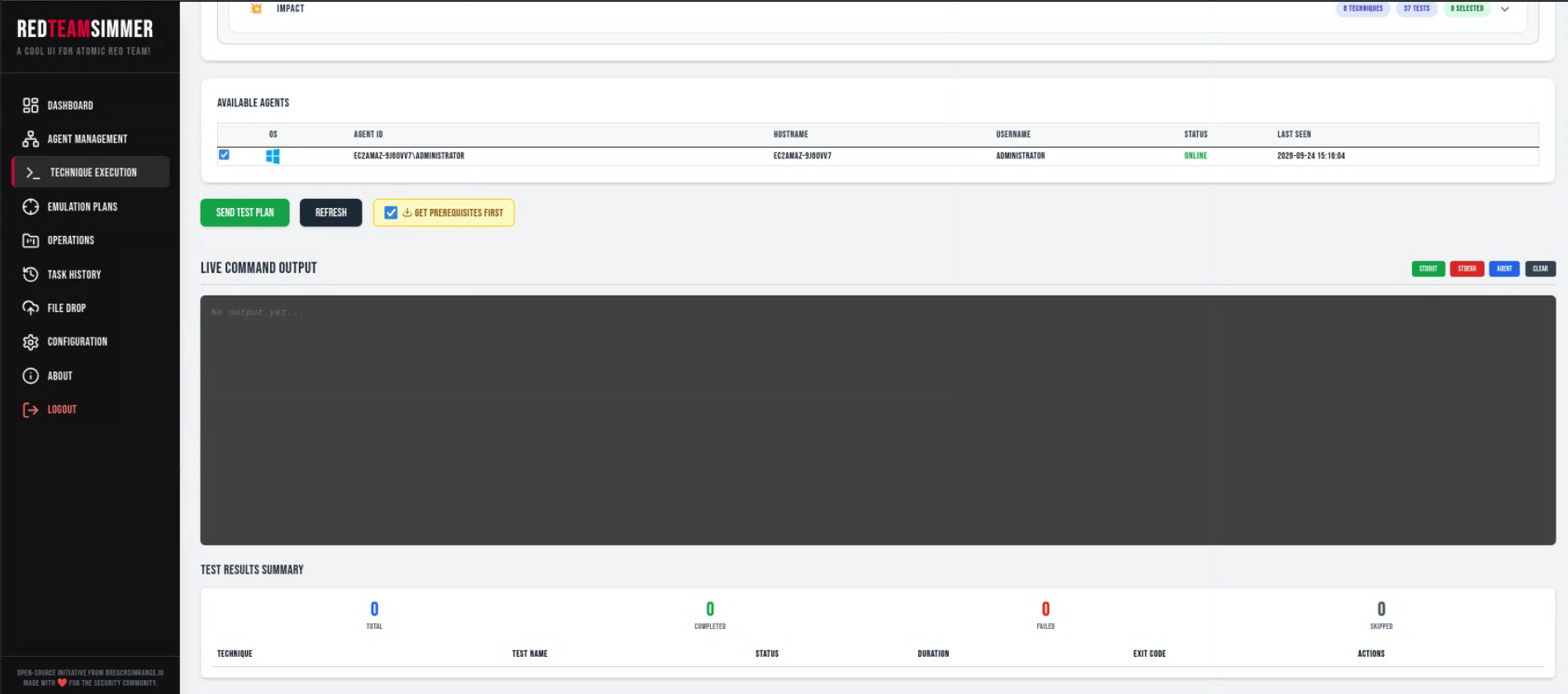
OP-A6EB8728DA81) and packages the necessary atomic scripts into an archive bundle.T1566.001, status ✓ COMPLETED, exit code 0.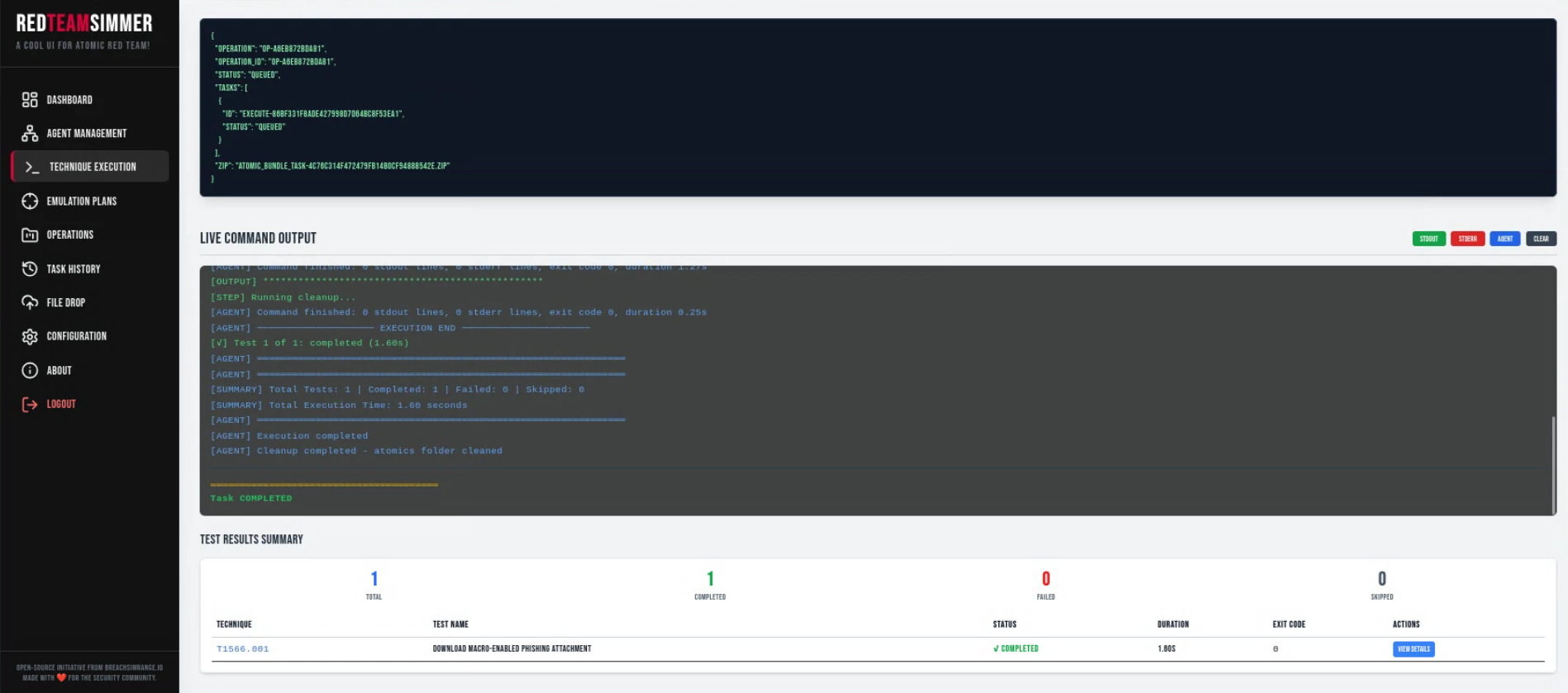
In this lab, you will execute a multi-stage adversary emulation plan modeled on the threat group APT41 (Wicked Panda). You will explore threat profile mapping, configure execution across multiple MITRE ATT&CK tactics, observe automated prerequisite staging and test skipping logic, monitor live test execution, and analyze results to evaluate detection coverage.
APT41 (also tracked as Wicked Panda, Brass Typhoon, BARIUM, or Winnti Group) is assumed to be a Chinese state-sponsored threat group documented under MITRE ATT&CK Group ID G0096. Active since at least 2012, APT41 is known for dual-track operations: conducting state-directed espionage campaigns alongside financially motivated attacks.
Key characteristics of APT41 campaigns include:
Run/RunOnce keys, and scheduled tasks.mstsc, cmdkey).RedTeamSimmer models APT41 by chaining 83+ atomic unit tests spanning 95 techniques across the full attack lifecycle, providing 86% MITRE ATT&CK technique coverage for the threat group.
G0096, aliases (Wicked Panda, Brass Typhoon, BARIUM, Winnti Group), and threat actor background.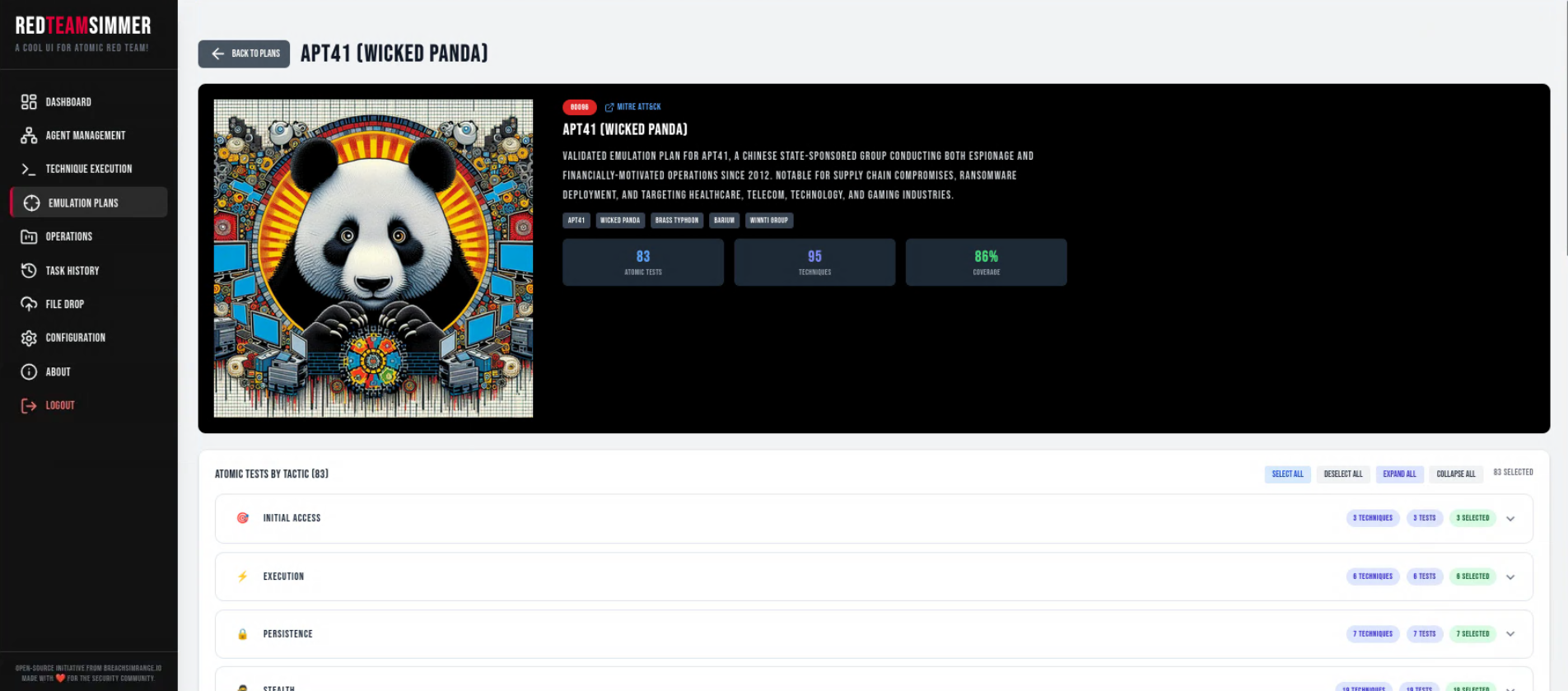
[x] GET PREREQUISITES FIRST) remains checked. Because APT emulation involves complex multi-stage attacks requiring specialized tools, prerequisite automation ensures required binaries and scripts are staged automatically prior to execution.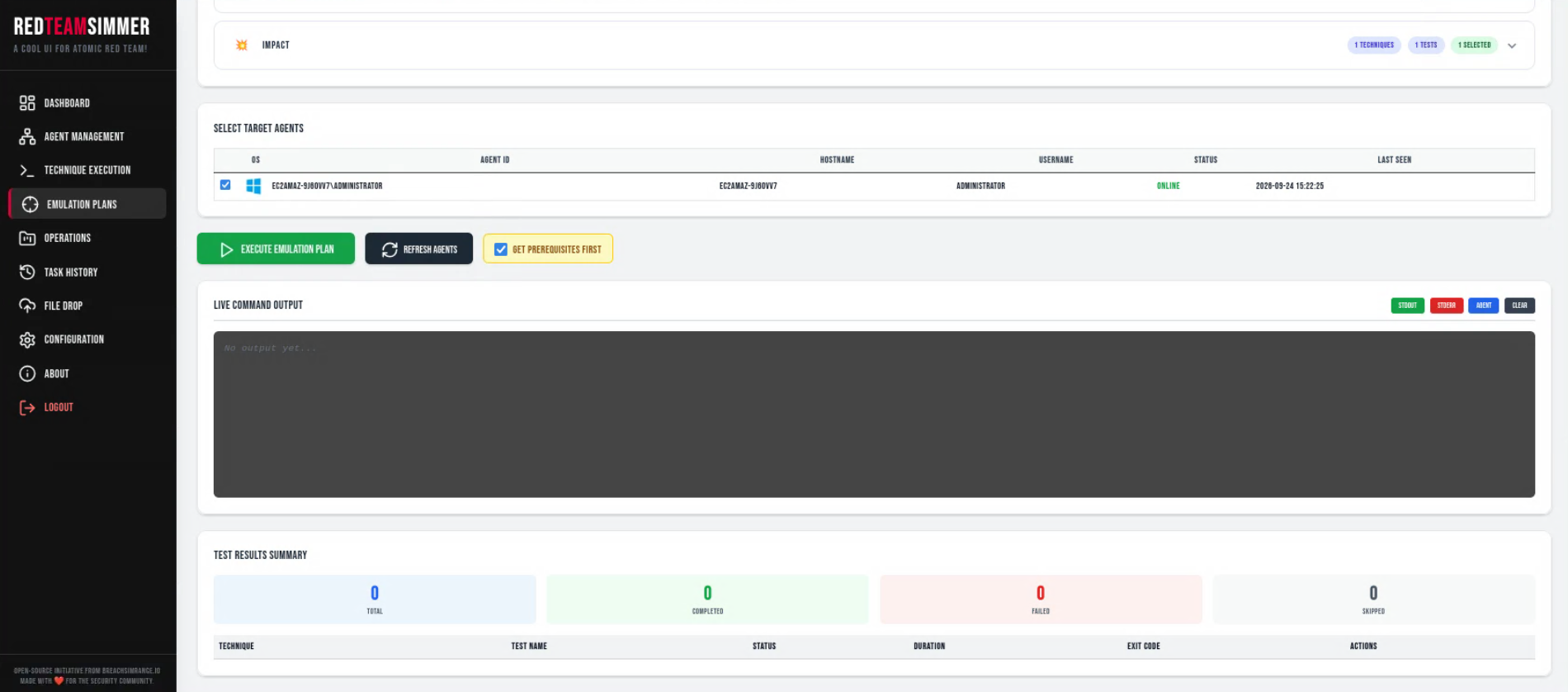
APT41 (WICKED PANDA), Operation ID, Resolved Tests: 87 ATOMIC TEST(S), Skipped Tests: 30 PLAN ENTRY(IES).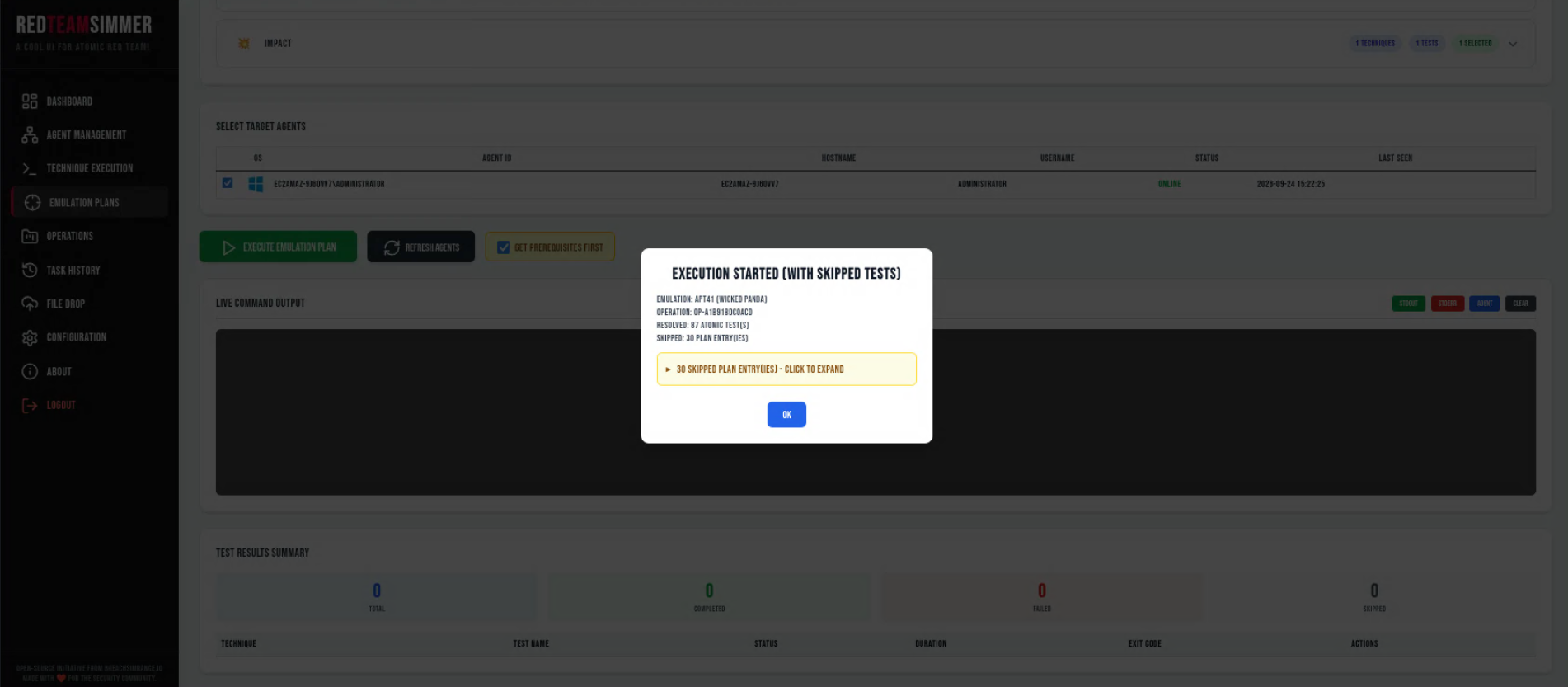
cmdkey.exe and mstsc.exe.powershell), target platform (windows), raw command invocation, and execution output.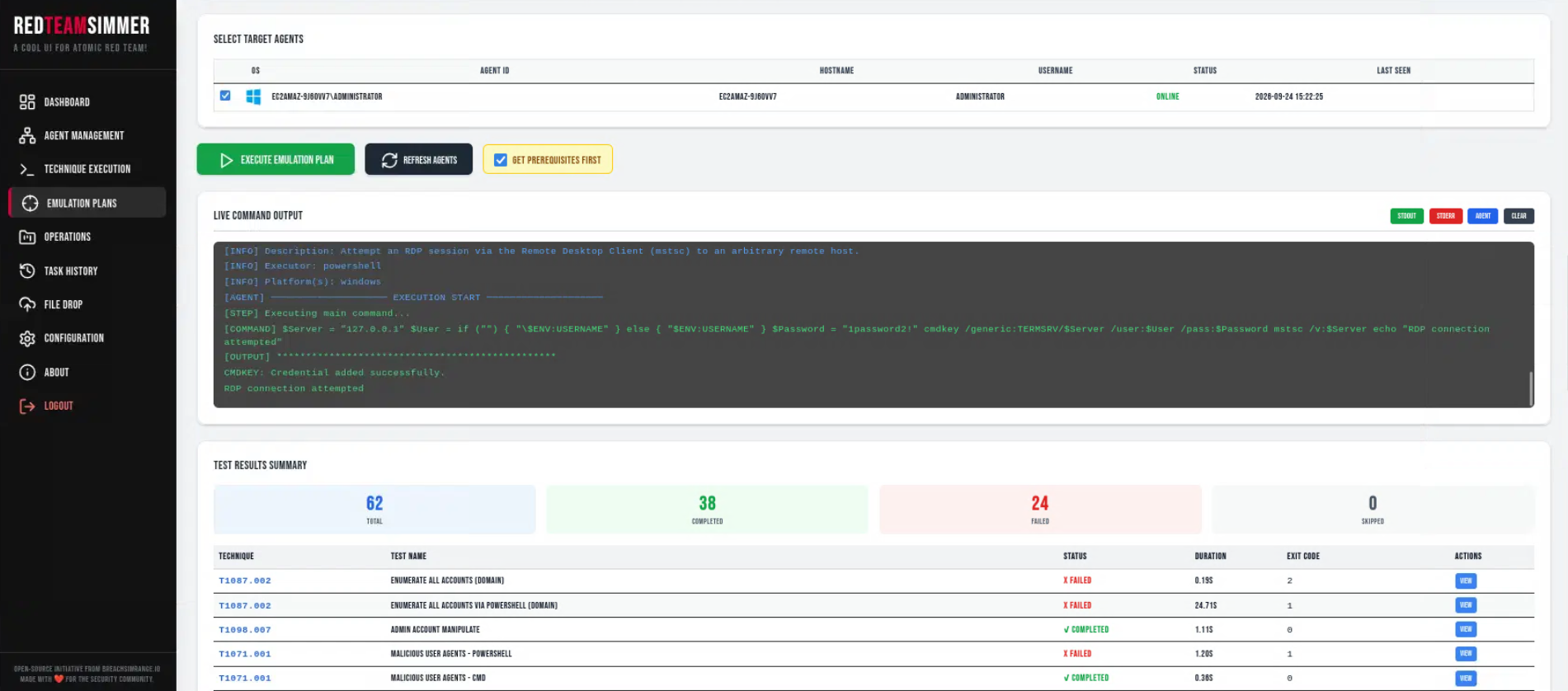
Browse the source, try RedTeamSimmer in your own lab, and contribute. Issues, feature ideas, and pull requests are all welcome, and a star helps the project reach more defenders.
View on GitHub